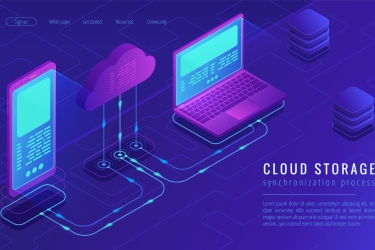
Times Have Changed for File Backup
The processes by which you can backup files today is a lot different today than 13 years ago. When IBM launched the first commercial USB flash drive in late 2000, it had a maximum storage capacity of 8MB. At the time, this was seen as cutting edge, since that was about 5x the capacity of then-common floppy disks. Backing up a file required you to save it onto a rewritable disk or drive, then possibly copy it to another computer or device, or to manually save it on a server via the internet or a network- hardly optimal methods.
Fast forward to 2013- the average person has several locations for their files: home and work computers, servers, mobile devices, and cloud-based storage. Some people are still using the USB method to backup files, which takes a lot of time and can lead to file corruption or loss.
The Difference Between Backing Up and Syncing
We at GoodSync often see our users confuse the terms “file backup” and “file synchronization”. Although we’re discussing file backup here, we think it’s worth mentioning the difference.
File backup is the process of saving your files one-way (i.e. computer to cloud), so that you can recover them at a later point in time if needed. File synchronization is mirroring the changes in a file between two places. A good example of file synchronization is working on an Excel file at work, then wanting to work on it at home. Syncing that file will ensure that you are always working on the latest version, regardless of which location at which you are working.
The Easiest Way to Backup Files
The easiest way to backup files is to use a file manager like GoodSync. The advantages to using our product over a traditional backup solution include:
- Speed and Efficiency- Our file backup employs a top-of-the-line algorithm that only backs up a file when it has changed or a new file has been created.
- Access- GoodSync provides easy access to your files, allowing you to access them instantly from anywhere (via secure login).
- Options- Backup files that are in folders in a variety of places both online and offline, choosing whether to back them up locally, through the internet, or through a network.
As you can see, there are many things to consider when deciding how to backup your files. Whichever method you choose, make sure that it is secure and that you aren’t risking data loss or corruption.


In the 90’s, a caring friend like Bob would ask you, “Do you backup your data?” And Bob tells you a sob story about how his hard drive crashed and he lost all his important files. And so you backup your data together, and come Hell or high energy cosmic rays, your and Bob’s regular backups onto discs would keep your files safe from harm. If one copy was destroyed, you still had other copies. And Bob would share cool stuff he found on the computer by backing up on a 1.44MB 3.5” floppy diskette and walking over to you. Copy to another disc, label with the date, and call it a day.